

One place for your services
Start and stop Apache and MySQL, inspect configuration, and open phpMyAdmin from the same Windows app.
Configuration guide →Free & open source · Windows
Apache, MySQL, and PHP 8.3 in one installer. Project workspaces, per-site PHP, and trusted local HTTPS in recent releases. MIT licensed, no site limits.
Windows 10/11 · x64 · MIT licensed · No account required
Latest release v0.1.12 · October 18, 2026
PHP 8.3 ships in the installer. Branches through PHP 8.5 are available inside the app.
New in v0.1.12
Connect an existing folder, give it a .test hostname, and manage its document root, installed PHP runtime, and trusted local certificate from one details page.
Use folders outside www. Connecting a site keeps your files in place.
Download in PHP Versions, then pin a version per website or inherit the default.
Local certificates use mkcert. Windows trust approval is required; website errors are checked separately.
A workflow that stays local
Start your services, choose your PHP runtime, and keep your existing projects close at hand.
PHP 8.3 is bundled. Download extra runtimes in PHP Versions and select an installed version per website in project details. The terminal still uses global PHP.
Explore projects and PHPStart and stop Apache and MySQL, inspect configuration, and open phpMyAdmin from the same Windows app.
Configuration guide →Copy htdocs into your DevStackBox www folder. Move databases separately with an export and import, then test your site.
Migration guide →Project workspace, per-site PHP, and trusted HTTPS in DevStackBox.
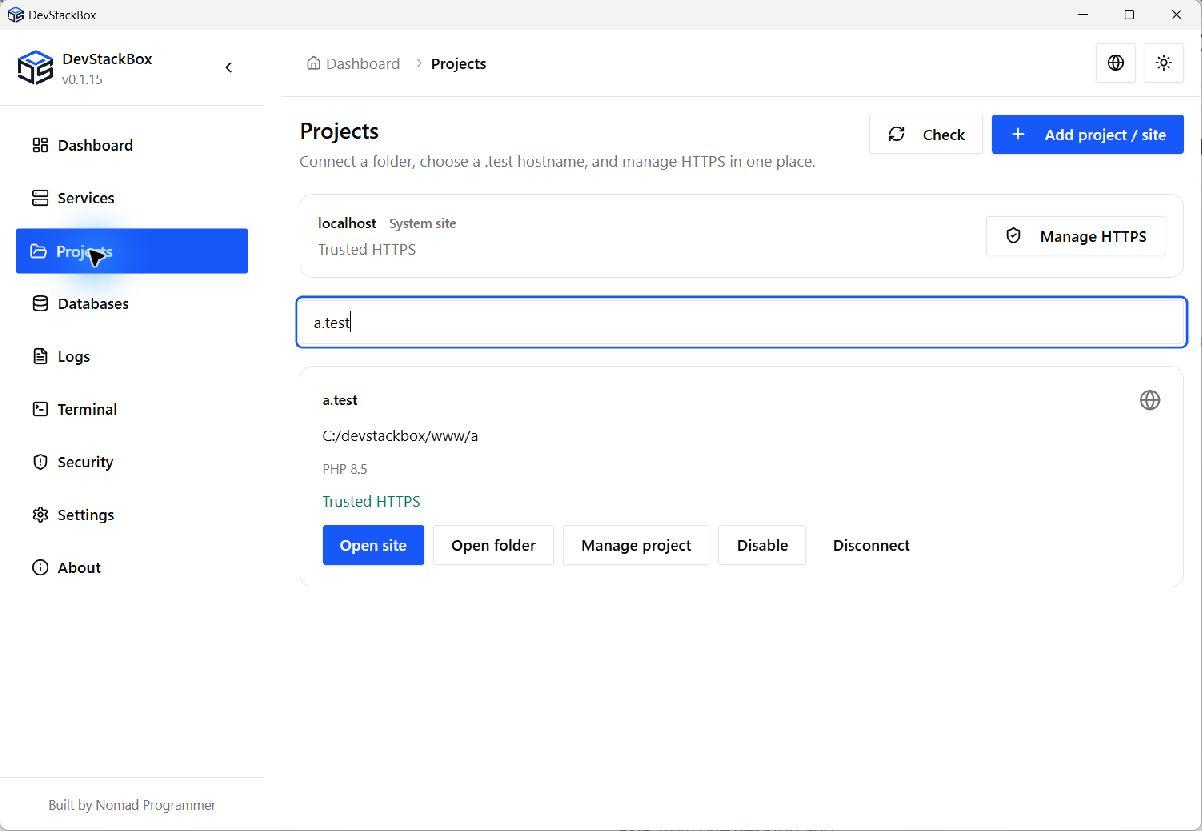
Connect a .test hostname, pick an installed PHP runtime per site, and enable trusted HTTPS from project details.
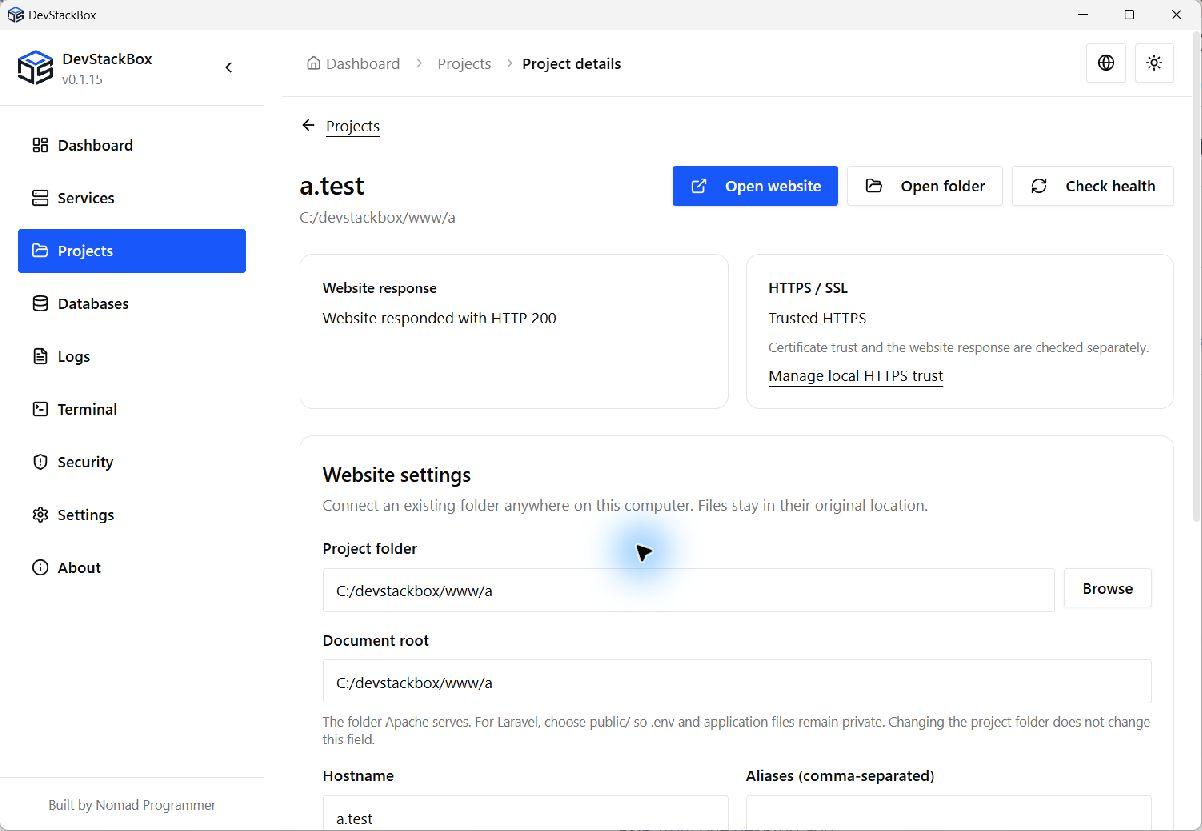
Real project details: HTTP 200 and trusted HTTPS checked separately, with folder and document-root settings below.
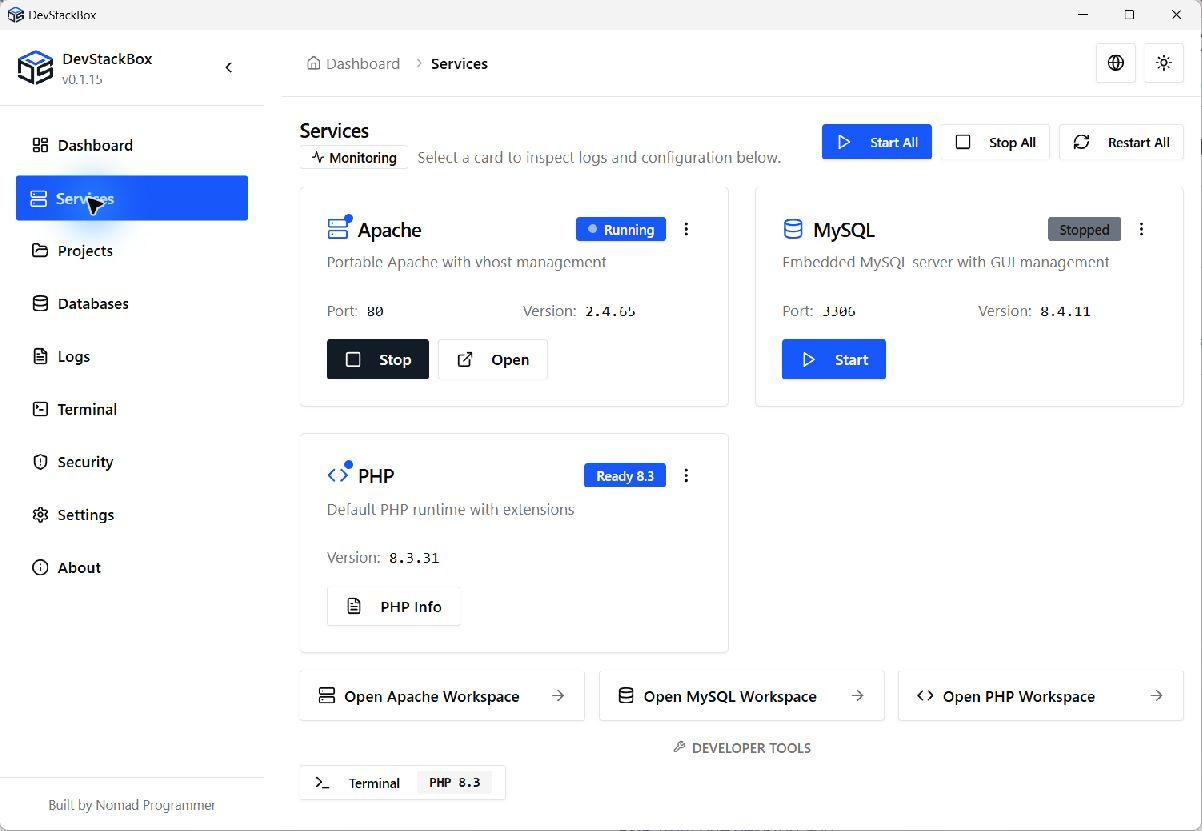
Start Apache and MySQL, inspect versions and ports, and open phpMyAdmin from one dashboard.
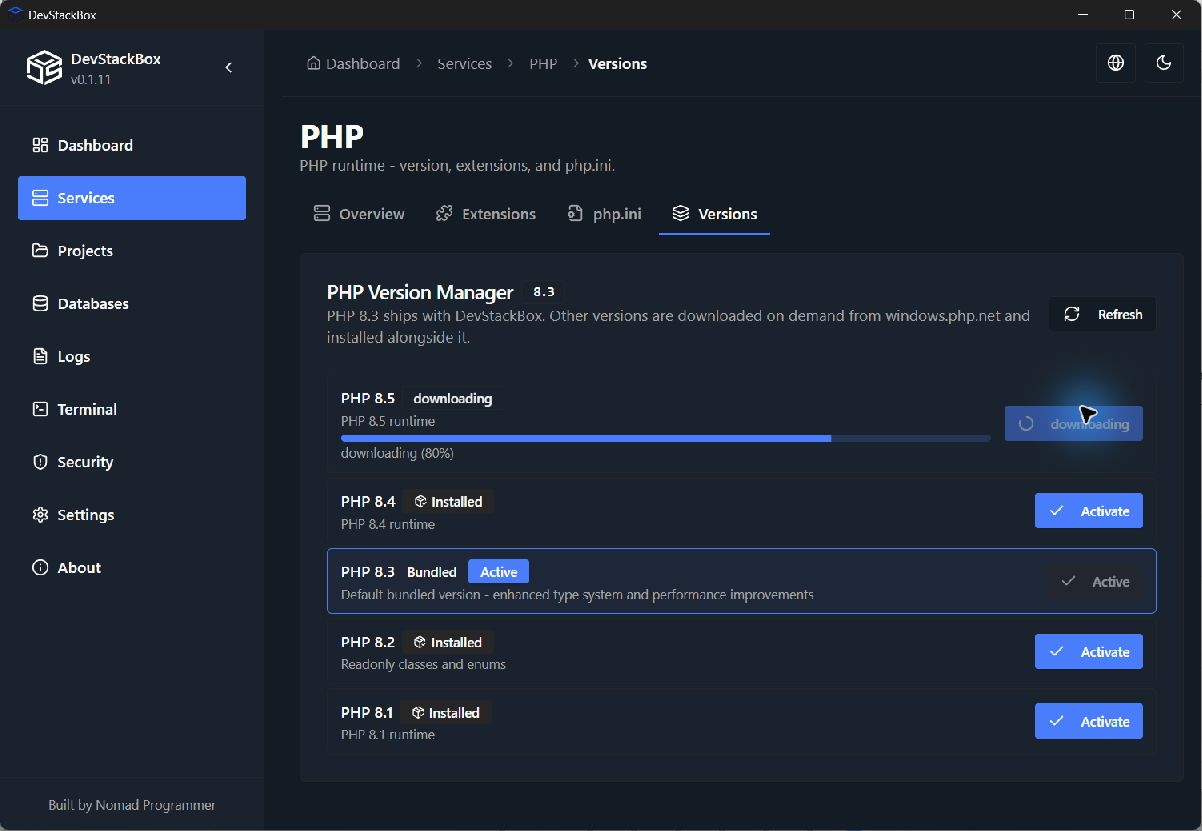
Download PHP 8.1–8.5 in PHP Versions, then select an installed runtime per website. Terminal sessions still use global PHP.
Get installed, run your first site, and fix issues - step by step.
XAMPP for Windows still ships older PHP. DevStackBox gives you PHP 8.3 immediately and 8.5 when you need it.
| Feature | DevStackBox | XAMPP (Windows) | Laragon |
|---|---|---|---|
| Price | Free (MIT) | Free | Free non-commercial (reminder popup), $49/yr or $149 lifetime commercial |
| PHP in installer | 8.3.31 (+ up to 8.5 in app) | 8.2 | Varies |
| Database | 8.4.11 LTS | MariaDB 10.4.32 | MySQL / MariaDB |
| Per-site PHP & HTTPS | Installed runtimes per project; mkcert HTTPS | Manual config | Global PHP switch (all sites); manual HTTPS |
| Site limits | Unlimited | Unlimited | Unlimited |
| Desktop UI | Windows desktop app | Control panel | Desktop app |
Checked October 18, 2026. Laragon commercial prices are for one device. Sources: XAMPP downloads · Laragon pricing.
DevStackBox is open source. Join us on GitHub - report bugs, suggest features, or contribute code.
Download DevStackBox for Windows and start Apache, MySQL, and PHP from one desktop app.
Download for Windows